



Home / Applivity Reflex / Inspection AI
Inspection AI in the field
Voice-driven inspections

Inspection AI

Voice-driven checklists and AI defect logging on RealWear - hands on the asset, eyes on the job, structured data integrity.

RealWear ARIAvailable on RealWear ARI
0
Clipboards
100%
Mandatory fields enforced
AI
Completeness verification
3
Platforms: RealWear, iOS, Android
What it does

Built for how the work really happens.

Voice-driven checklists

Run inspection routines by voice - hands stay on the asset, eyes stay on the job.

AI defect logging

Capture defects with photo evidence and AI-assisted classification as you go.

Structured data integrity

Structured, mandatory fields mean no skipped steps and no lost readings.

Built for the frontline

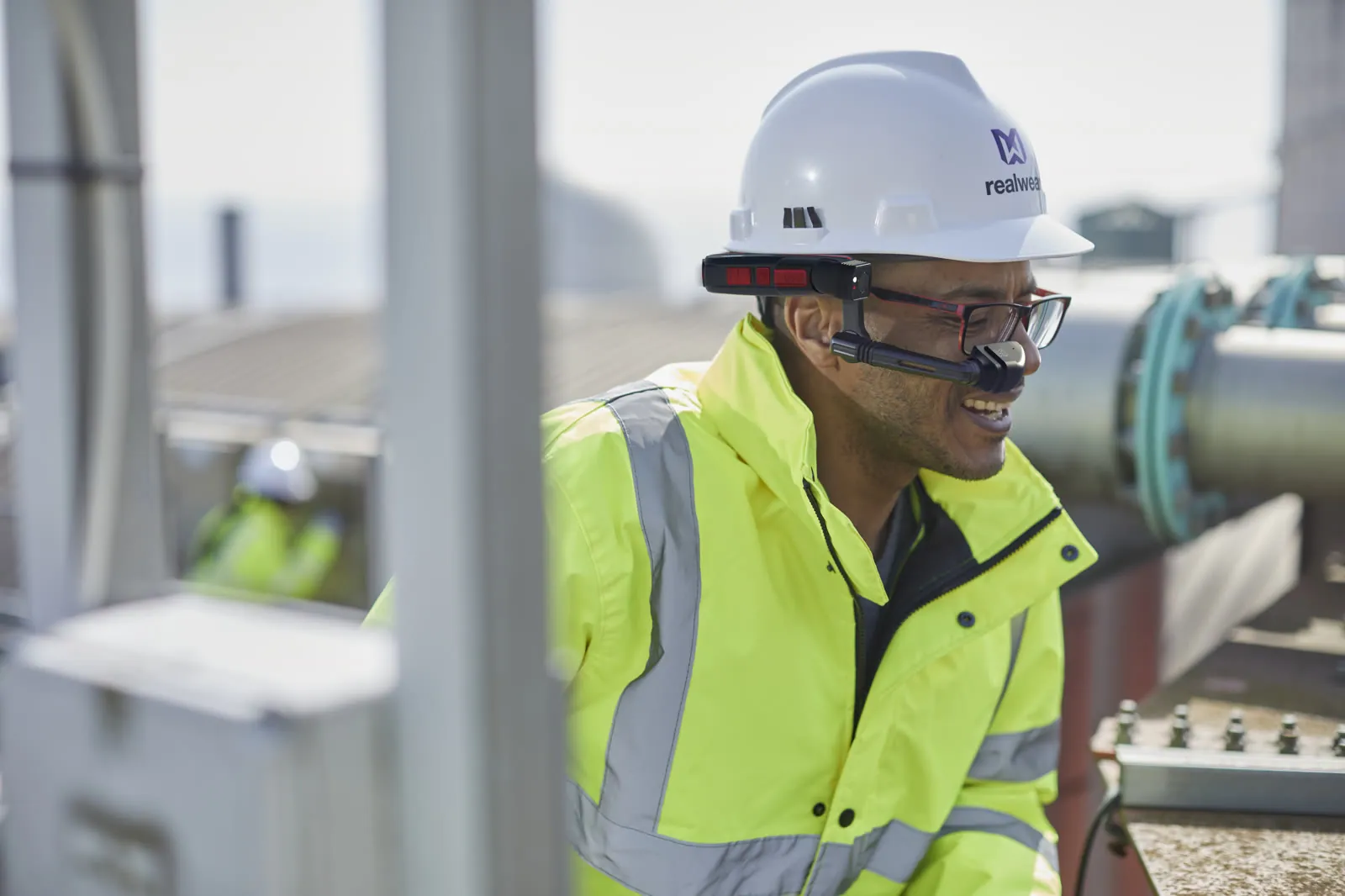
Hands on the asset, eyes on the job

Voice-first, glove-friendly and built for noise, heat and hazardous zones - validated on RealWear hardware for demanding field environments.

published on RealWear ARI - built for the hardware
Structured inspection evidence, ready for audit
Structured checklists with mandatory fields
Hands on the asset, eyes on the job
Evidence, not clipboards

Every reading, captured

Defects and readings are logged with photo evidence and detection detail, tied to device and session and synced to the enterprise spine with full integrity.

AI-assisted defect classification with photo evidence
Offline queue with 100% sync integrity
Structured exports into your CMMS
Every reading, captured
The product, running

Voice in, structure out - on any device.

Inspection AI layout editor with live voice capture
Inspection AI - layout editor with live voice answer ยท demo data
How it works

How Inspection AI works.

1

Assign

A checklist route reaches the field user's device.

2

Guide

Voice-guided steps keep hands on the asset.

3

Capture

Readings, photos and defects log as work happens.

4

Verify

AI checks completeness; mandatory fields close gaps.

5

Synchronize

Offline queue syncs to the spine and your CMMS.

Inputs

Checklists, voice, images, readings, asset context where supported.

Outputs

Verified inspection record, defect log, evidence, follow-up task, report.

See it in your sector: Oil, Gas & Energy  ·  Manufacturing
Proof

Published on RealWear ARI.

0
Clipboards in the field
0
Required fields enforced
Published
on RealWear ARI
Hands-free
From checklist to sync
Get the app

Primary platform: RealWear. Also on mobile.

Built first for hands-free RealWear field work - and available on iOS and Android for phones and tablets.

Our RealWear partnership
RealWear ARIDownload on the App StoreGet it on Google Play
Common questions

What inspection managers ask first.

Is Inspection AI available on mobile?

Yes. Inspection AI runs primarily on RealWear for hands-free field work, and is also available on iOS and Android so inspectors can work from a phone or tablet where that fits better.

What hardware do we need?

RealWear assisted-reality devices - the application is published on RealWear ARI and built for the hardware your crews already wear.

Can checklists match our procedures?

Yes. Inspections run on structured templates built from your procedures, with mandatory fields so no step can be skipped.

Does it work in dead zones?

Yes. Inspections complete fully offline and sync fully when connectivity returns.

Can Inspection AI verify that nothing was missed?

Yes. Inspection AI runs AI verification on completed inspections - missing questions and count mismatches are flagged for human review before the record syncs.

Which devices does Inspection AI support?

Inspection AI is published on RealWear ARI for hands-free use, and also runs on approved mobile and web paths - no single mandatory device.

The rest of the suite

One connected platform across every product.

Next step

See Inspection AI running.

A 25-minute demo on real hardware, mapped to your operation.