



Home / Applivity Reflex
Applivity Reflex · Industrial AI suite

The reflexes your field operation runs on.

Production-grade products on one connected platform - detect hazards, report incidents, run inspections and capture expertise. Voice-first, hands-free, reviewed by your people and deployed on your infrastructure.

On your infrastructureHuman-reviewed AIBuilt first for RealWear
The loop

One operation, four moves.

Detect, report, inspect, document - each stage feeds the next on one connected platform. A hazard sensed anywhere becomes action everywhere. That’s the reflex.

01Detect 02Report 03Inspect 04Document
01 · Detect
Safety AI
Safety AI watches every frame: PPE compliance on wearables and existing IP cameras.
Input: approved wearable, camera or operational event → Output: PPE, zone or safety intelligence
Start with one. Connect when useful.
The products

Start with one. Run them as a suite.

Each product stands alone - together they give you one picture of your operation.

Runs on your hardware

Built for the devices your crews already trust.

One connected platform

Every product writes to the same spine.

Every product writes to one connected platform deployed within your approved infrastructure boundary - Applivity-managed cloud, your cloud tenant, or an approved on-premises environment. SSO and Active Directory for access, offline capture designed for lossless sync, and structured integration into SAP, Oracle and the HSE, CMMS and BI systems you already run.

Azure reference architecture · SSO and Active Directory
Offline capture designed for lossless sync
Integration with SAP, Oracle and your existing backend systems
Safety AI
Incident AI
Inspection AI
Video Analysis AI
One connected platformYour boundary · SSO · AD · offline sync
Dashboards
Exports
Alerts
Enterprise deployment

Your infrastructure, your rules.

Built for big-enterprise IT: every deployment lands in an environment your security team already governs.

Your cloud tenant

Deployed inside the cloud tenancy of your choice - SSO and Active Directory included, governed by your policies.

Fully on-premises

On-prem setup available for almost every product - the data never leaves your estate.

Integrated and customized

SAP, Oracle or any backend - wired into your workflows and customized to your requirements.

Why Reflex

Not another dashboard.

01 · Infrastructure

Your infrastructure, not theirs.

Applivity Reflex deploys inside your approved boundary - your cloud tenant or on-premises - while typical safety dashboards live in someone else's cloud.

Start anywhere

Start with one. Expand when ready.

Start with incident reporting or inspections and grow into the suite - the spine is already waiting.

Compare the products  ·  Download the one-pager (PDF)
Common questions

What buyers ask about the suite.

Do we have to use every Reflex product?

No. Every Applivity Reflex product stands alone. Most conversations start with incident reporting or inspections; the connected platform makes later connection useful, never mandatory.

Can Reflex integrate with our existing EHS, ERP or asset systems?

Yes. Applivity Reflex exports structured events and evidence into HSE, CMMS and BI systems, and Applivity engineers build integrations with SAP, Oracle or any backend as part of deployment.

Which devices and capture methods are supported?

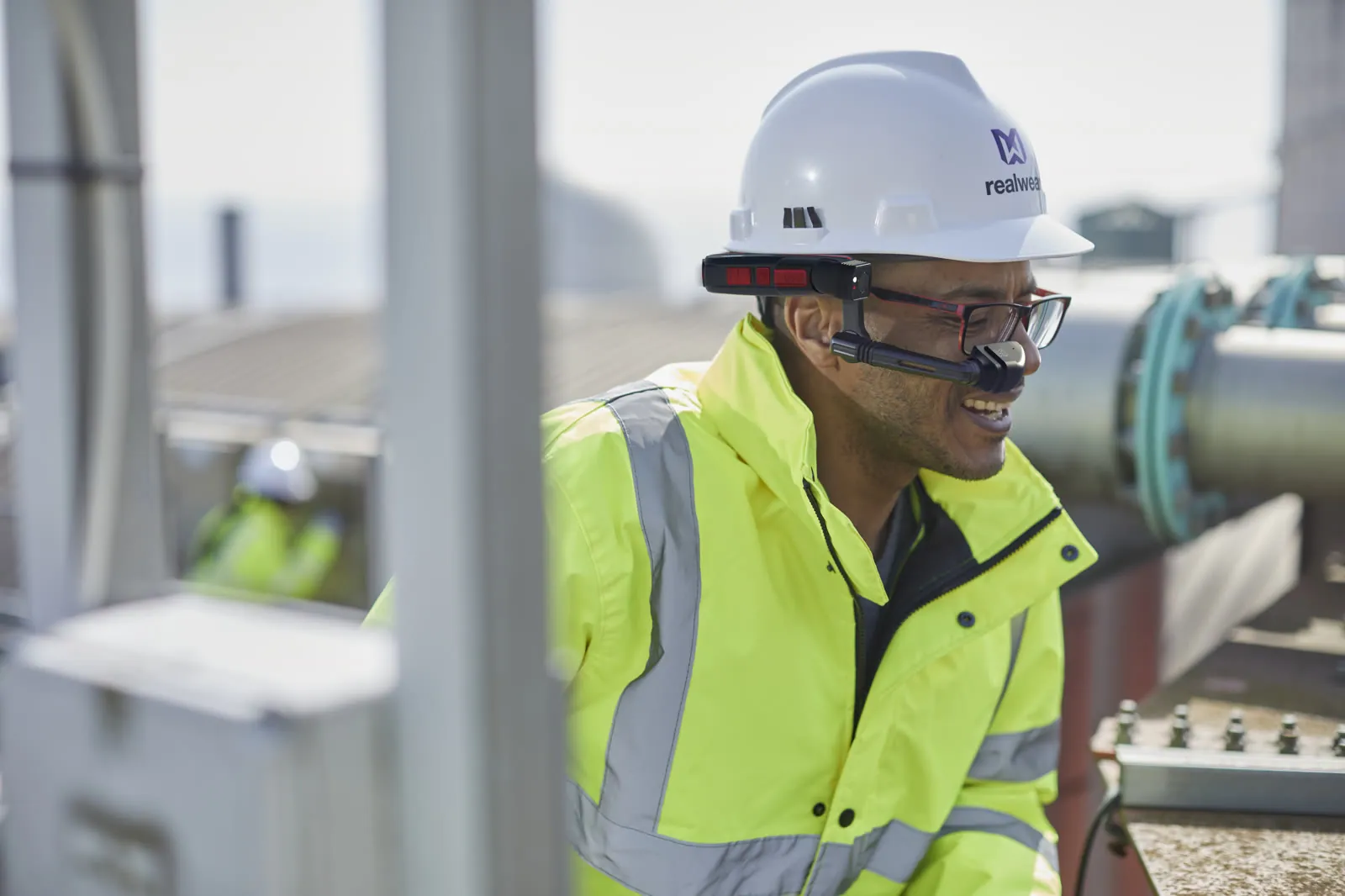
Applivity Reflex supports RealWear assisted-reality devices (Applivity is an official implementation partner), native iOS and Android apps plus web access, and existing IP cameras where the Safety AI use case demands them.

Where is our operational data stored?

Inside your approved infrastructure boundary: Applivity-managed cloud, your own cloud tenant, or an approved on-premises environment - governed by your identity and retention policies.

How is AI output reviewed by people?

Every Applivity Reflex product routes AI output through human review - incident records are approved by responsible users, inspection evidence is verified, safety events are confirmed, and generated procedures are validated by domain experts before publishing.

Next step

See the suite running on real hardware.

A 25-minute walkthrough on RealWear and Meta Quest, mapped to your operation.